
ICPOs – Inter Company Purchase Orders are used to move Inventory from one Stock Site to another within a single company. This can be useful if you have Stock Sites that are some distance apart and you need to account for the Inventory while it's in transit between Stock Sites.
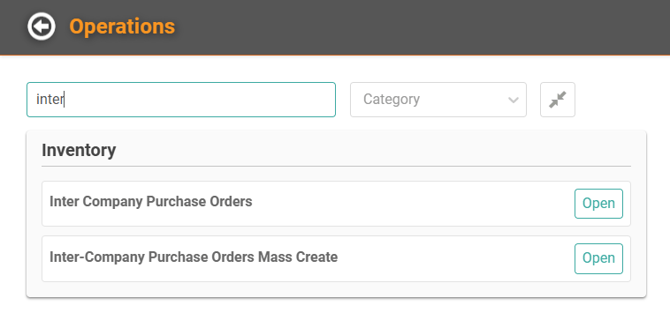
Warehouse / Inter-Company Purchase Orders
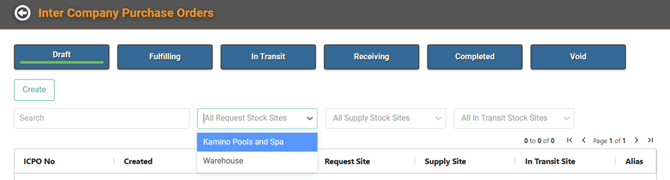
You can filter by Stock Site or search by Keywords to view already existing Purchase Orders.
Head to Stock Sites if you still need to set those up.
IMPORTANT! All clients will need an In Transit Stock Site – you can create a Draft without one but you cannot move through the Purchase Order without one.
Current Enterprise clients use Vehicle Stock Sites for In Transit
- Draft
- Fulfilling
- In Transit
- Receiving
- Completed
- Void
Create a Draft
- Click Create
- Select the appropriate choices from the dropdowns
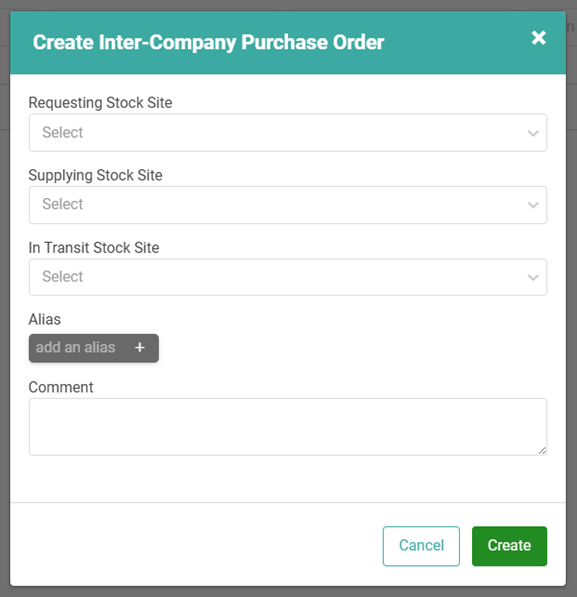
Requesting and Supplying Stock Site are required.
REMEMBER! In Transit Stock Site is not required when creating a Draft but will be necessary if you plan to use In Transit. If it is used it cannot be a duplicate of Requesting or Supplying.
If In Transit is the same as Requesting or Supplying, this error message will appear. 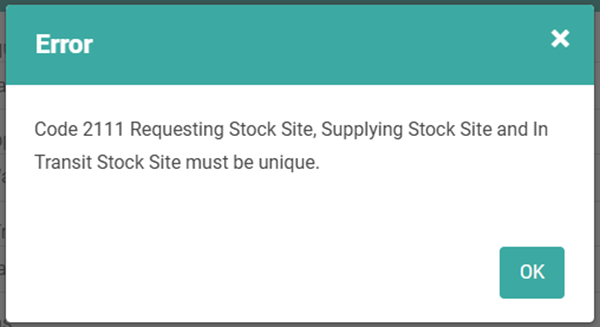
Once you've clicked Create, the Draft ICPO profile will be created.
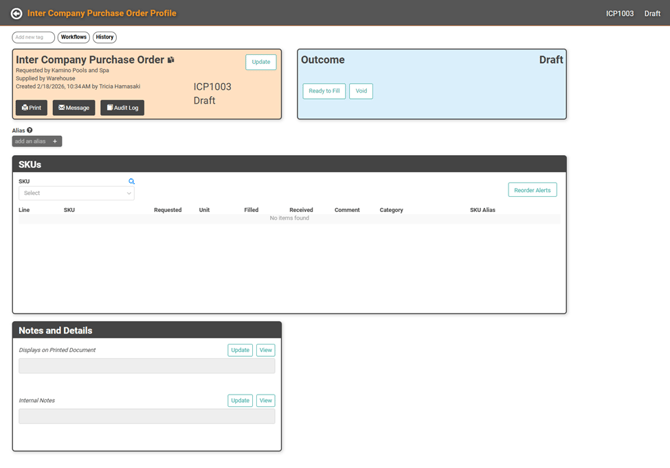
The ICPO Profile will have similar boxes to a Purchase Order. Add SKUs and Notes as needed.
TIP! For future needs, you can setup Reorder Alerts.
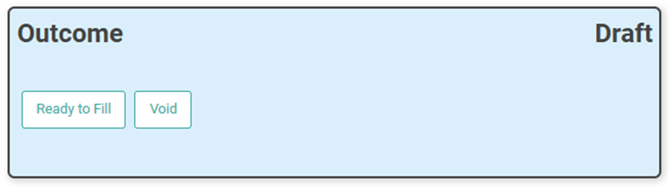
Once the ICPO is ready to fill, you can click the button in the Outcome box.
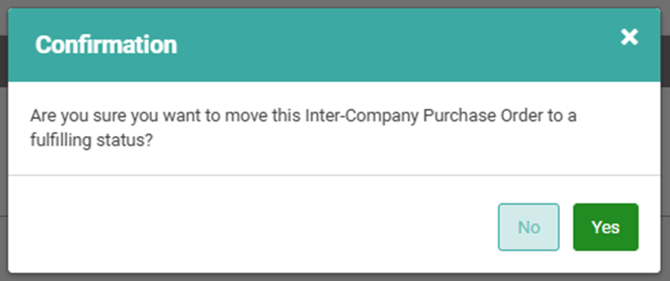
You will receive a confirmation message. Click Yes to continue.
Fulfilling
Once you move the Inter-Company Purchase Order to Fulfilling, the Outcome changes to In Transit.
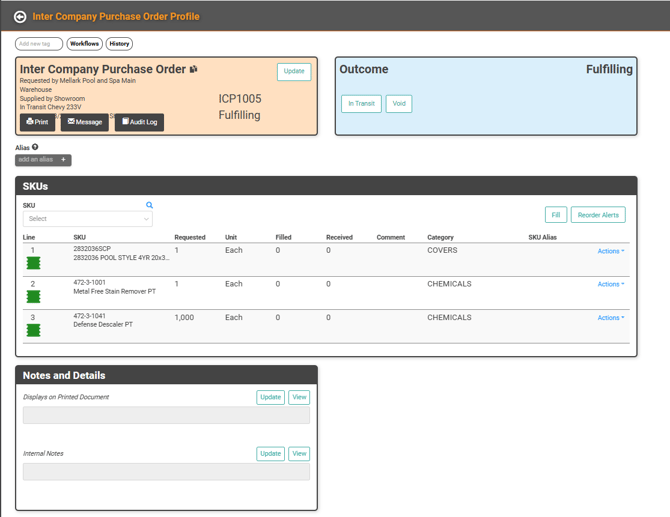
IMPORTANT! If there is no In Transit stock site chosen when the Draft was created, you will not be able to move the Outcome to In Transit till that is updated or a Transit Stock Site is created.
-
Click Fill on the SKU Box to begin filling the ICPO.
- On the Fill page, click Actions on a SKU line item to fill each SKU.
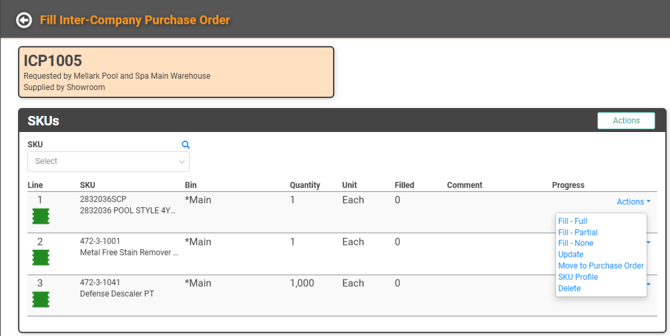
- Determine whether to fill the full requested quantity, a partial quantity, or none.
- Update the SKU line item
- Move to a regular Purchase Order instead of an ICPO
- View the SKU Profile
- Delete the line item from the ICPO
As you choose the fill option appropriate for the SKU, the progress will be updated on the line item.
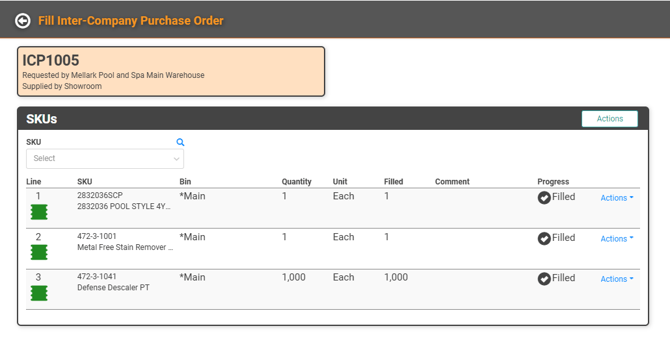
When you've filled everything, use the back arrow to return to the ICPO. Once everything has been marked as filled and you are ready to transport the SKUs, click the In Transit button.
You will receive a confirmation message. Click Yes to continue.
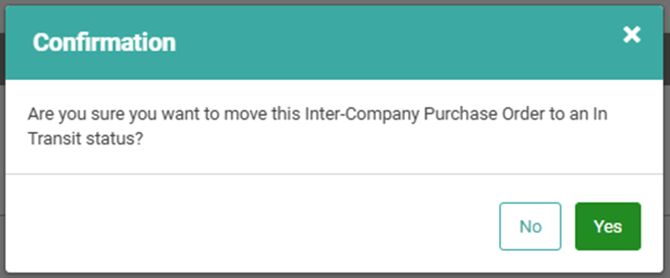
The ICPO status will be updated to In Transit. The SKUs are moved from the Supplying Stock Site to the In Transit Stock Site. Once the SKUs have reached their destination, you will need to Receive the SKUs.
Click Receive to begin.
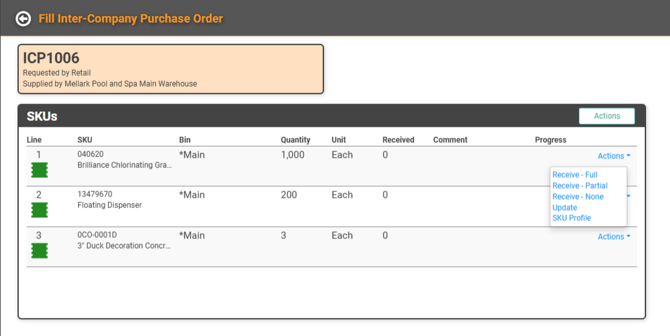
Just like the filling stage, you have options for receiving: Full, Partial, None. This allows you to receive the correct quantity physically received regardless of the requested amount. Once you Receive a SKU, the transfer is made from the In Transit Stock Site to the Receiving Stock Site.
Once you have received everything and the ICPO is complete, return to the ICPO Profile and with the back arrow and click Complete. This updates the status of the ICPO.
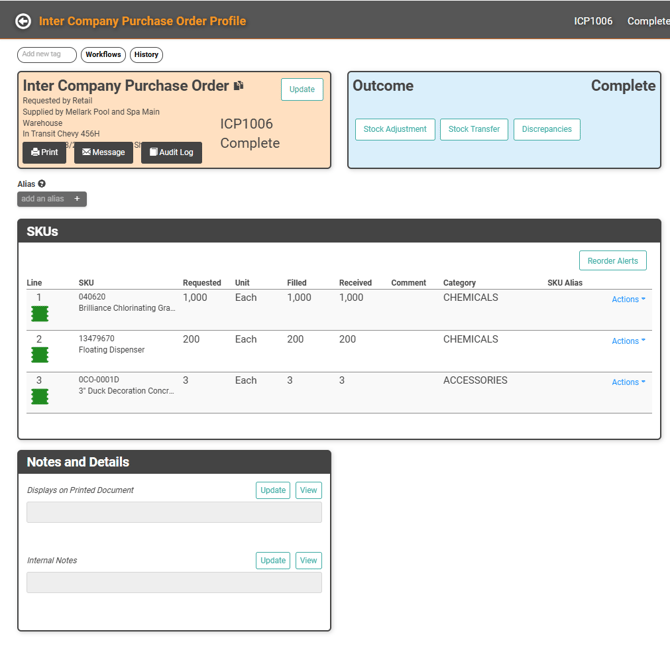
ICPOs that are Complete can be found in the Complete tab of the ICPO page. On the Profile, you can initiate Stock Adjustments, Stock Transfers, or view any Discrepancies that may have occurred if amounts requested and received are different.
Warehouse / Inter-Company Purchase Order Mass Create
You can use the Mass Create feature to create multiple ICPOs at once.
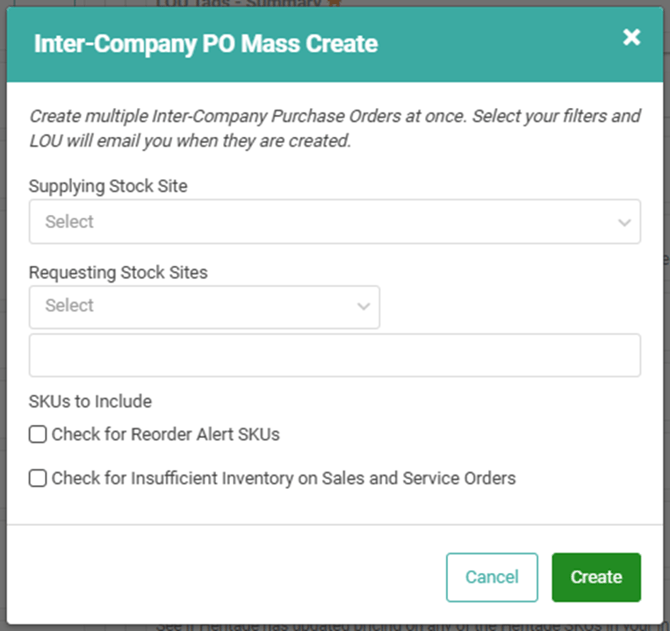
You can only choose one Supplying Stock Site, but you can multiselect Requesting Stock Sites.
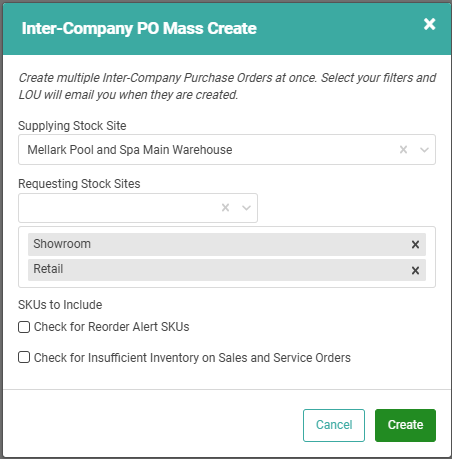
Check for Reorder Alert SKUs: This will pull any SKUs with a Reorder Alert onto the ICPO
Check for Insufficient Inventory on Sales and Service Orders: This will look for SKUs on Orders without quantity available to fill and add it to the ICPO.
Once you click Create, LOU will email you when the drafts are created. From there, you can fill out the rest of the ICPOs and complete the process.