If you are live on LOU, there are some setup tasks to complete for AR Customer Statements.
1. Configure Customer Statement Settings in Product Setup / Accounting / Customer Statement Settings 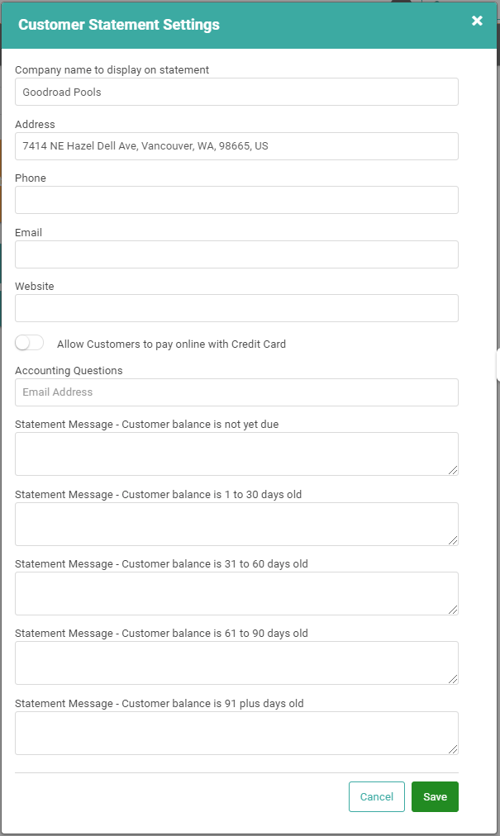
2. Configure Customer Statement Settings in Product Configuration / Integrations / LOU Email Messaging 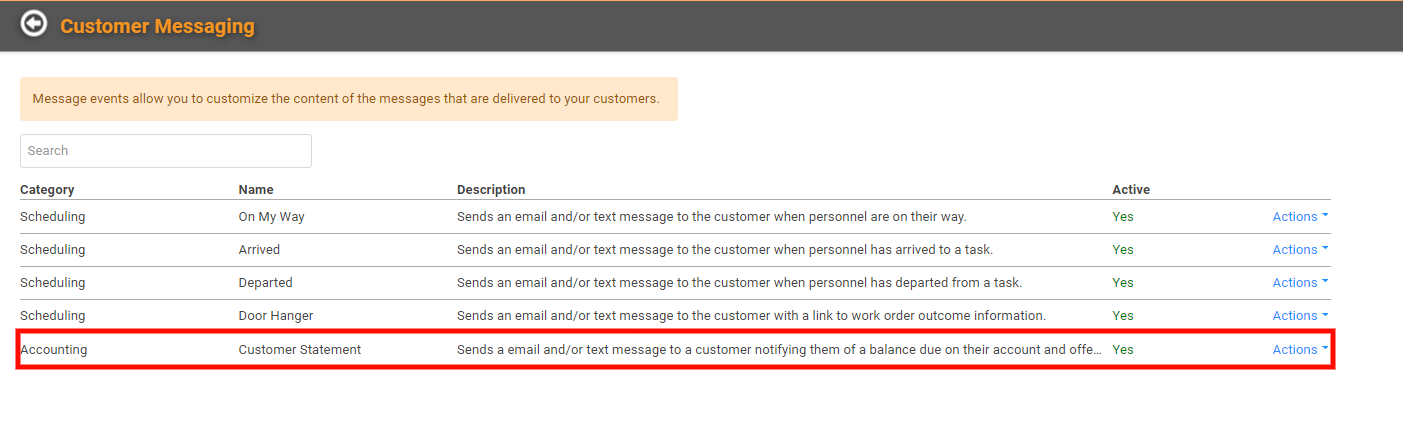
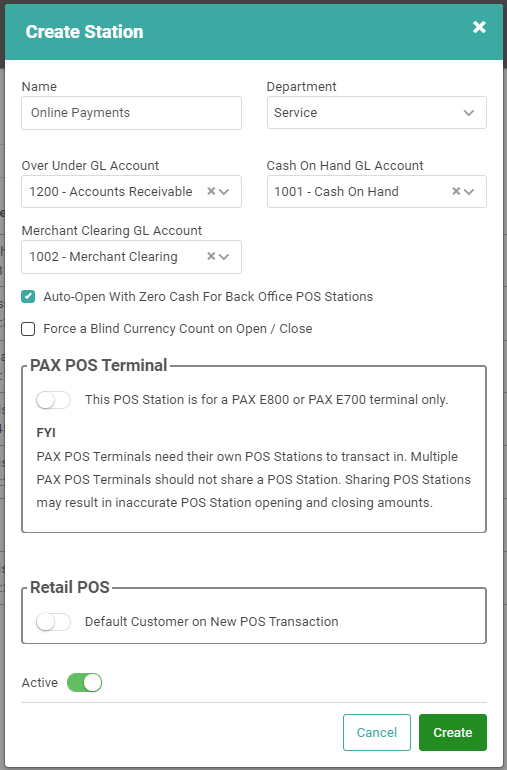
3. If you want to accept payments online, through the Customer Statement link, you need to set up a POS Station that is configured to auto-open and does not track cash. Our recommendation is that you set up a dedicated POS Station or use your Back Office POS Station. Just remember it must be configured to auto-open.
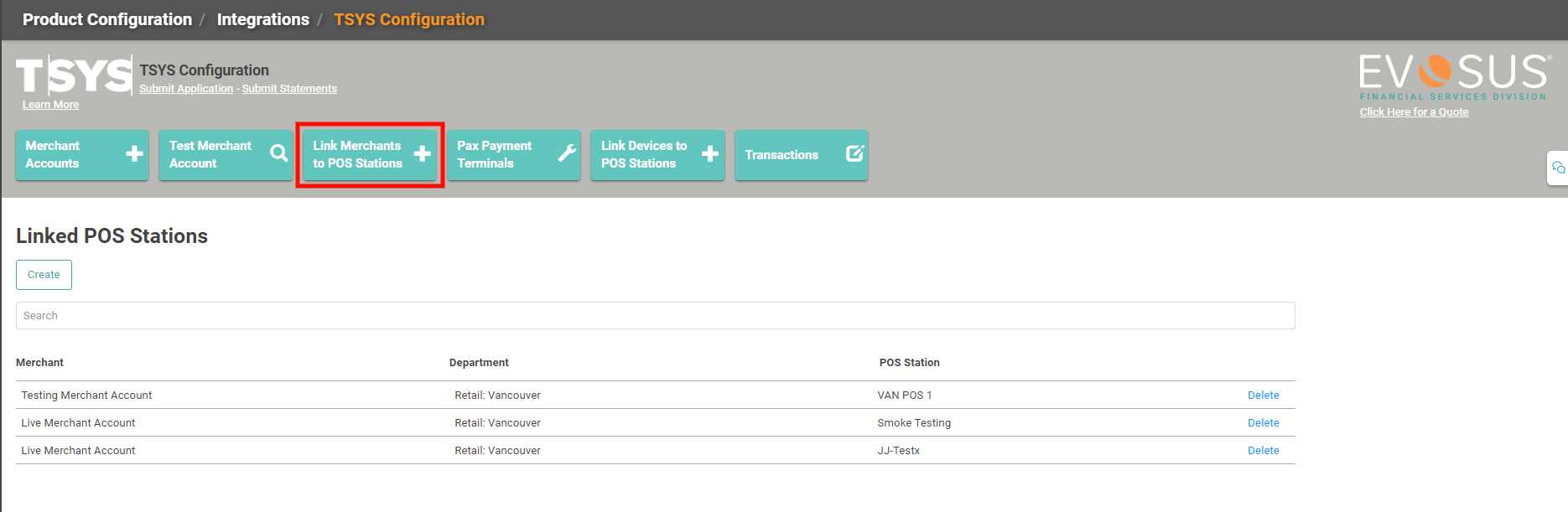
· If you are creating a new POS Station for Online Payments, remember to link the POS Station to your Merchant account.